A 30-day checklist for hair salon owners who want AI assistants to recommend them
A practical 30-day plan for Irish hair salon owners: check what AI says, fix your Google Business Profile, match your details and collect useful reviews.

- AI assistants typically recommend salons whose details are clear, consistent and backed by recent reviews across several sites.
- Start with your Google Business Profile: the right category, accurate hours, a full services list and real photos.
- Keep your name, address, Eircode and phone number identical everywhere, including Fresha, Treatwell and Booksy.
- Add service and price pages plus a short FAQ in your clients' own words, then re-check the AI answers at day 30.
To get your hair salon recommended by AI, spend 30 days making your salon easy to understand: correct and consistent details, a complete Google Business Profile, clear service and price pages, and recent reviews that name the service. AI assistants such as ChatGPT, Gemini and Perplexity typically draw on public information about your salon, so the clearer it is, the easier it is for them to name you.
This plan takes about an hour or two a week. You don't need to be a marketer. You need a phone, your opening hours, your price list and a few happy clients.
A quick definition first: GEO (generative engine optimisation) means making your business easy for AI assistants to find, understand and recommend. For a salon, it is mostly good local housekeeping done carefully.
Week 1: Check what ChatGPT, Gemini and Perplexity say about your salon today
Before changing anything, find out where you stand. Open ChatGPT, Gemini and Perplexity and type the questions a real client would ask. Use your own town or area, not just the county.
Try these:
- "Best hairdresser in Galway for curly hair"
- "Where can I get a balayage in Cork city centre?"
- "Barber near me in Swords open on Saturday"
- "Bridal hair stylist in Kilkenny"
- "Hair salon in Dundalk that does colour corrections"
Write down for each question: does it name you, who does it name instead, and what does it say about you? Take screenshots and save them with today's date.
Look for mistakes too. Wrong opening hours, an old address or a service you don't offer are common. These tell you which sources to fix. If you want to understand what these tools weigh up, see how AI assistants choose a hairdresser in your town.
Week 1: Fix your Google Business Profile category, hours, services and photos
Your Google Business Profile is the free listing that appears on Google Search and Google Maps when someone looks for your salon. Gemini and other tools typically lean on this kind of structured, local information, so it is the best place to start.
Work through this list:
- Primary category. Choose the one that fits best, usually "Hair salon", "Barber shop" or "Hairdresser". Add secondary categories only if they are true, such as "Bridal service". The reasoning is covered in why your business category changes what AI recommends.
- Opening hours. Check every day, and set special hours for bank holidays. Our guide on handling Irish public holiday variations shows how.
- Services. Use the Services section to list cut and blow-dry, root tint, half-head highlights, balayage, keratin treatment, gents' skin fade and so on. Add a short description and a price where you can.
- Business description. Write two or three plain sentences: what you do, where you are and who you suit. For example, "Family-run salon on Main Street, Tullamore, offering colour, cuts and bridal hair."
- Attributes. Tick what applies, such as wheelchair-accessible entrance, appointment required or women-led.
- Photos. Upload the salon front, interior, your team and real work. Our photo checklist covers what to include.
- Booking link. Add your Fresha, Treatwell, Booksy or own booking page under the booking button.
Week 2: Make your name, address and phone number match everywhere online
NAP stands for name, address and phone number. When these differ between sites, AI tools and search engines can't be sure it is the same salon.
Choose one exact version and copy it everywhere. Decide, for example, whether you are "Aoife's Hair Studio" or "Aoife's Hair Studio Ltd", and whether you write "Unit 4" or "4". Include your Eircode.
Check these places:
- Google Business Profile
- Facebook and Instagram bios
- Your own website footer and contact page
- Apple Maps (via Apple Business Connect) and Bing Places
- Golden Pages and other Irish directories
- Your local Chamber or shopping centre listing
- Fresha, Treatwell and Booksy
Fix old phone numbers and previous addresses, especially if you have moved. Keep a simple note with your approved details so you can paste them each time.
Week 2: Complete your booking and listing profiles, such as Fresha, Treatwell or Booksy if you use them
Booking platforms are public pages with services, prices and reviews, so AI assistants may read them. Only use the ones you actually run, and keep them up to date.
For each profile, check:
- The salon name, address, Eircode and phone number match your approved version
- Opening hours are current
- Every service is listed with a realistic price and duration
- Staff names and specialisms are added, such as "colour specialist" or "curly cuts"
- Photos are recent and show your real salon
- Any old, duplicate or closed profile is claimed and corrected, or reported for removal
If you no longer take bookings through a platform, update the profile so clients aren't sent to an out-of-date page.
Week 3: Add service and price pages and a short FAQ written in your clients' words
Your website is where you can explain things properly. If you have one, add a page for each main service: colour, cuts, bridal, gents, treatments. If you don't, even a simple single page with services and prices helps.
Each service page should say:
- What the service is, in one plain sentence
- Who it suits
- How long it takes
- A "from" price, for example "Cut and blow-dry from €55"
- How to book
Then add a short FAQ. Write the questions as clients actually say them, not in salon jargon. Good examples:
- "Do I need a patch test before colour?"
- "How long does balayage take?"
- "Do you cut curly hair dry?"
- "Can I bring my child for a first haircut?"
- "Do you do bridal trials?"
- "What is your cancellation policy?"
Keep answers short and direct. Use real details such as your Saturday hours or whether you take card only. Check your inbox, Instagram messages and the questions clients ask at the chair to find the right wording.
Week 4: Ask recent clients for reviews that mention the service they had
Reviews help show that clients choose you and what they choose you for. A review saying "Niamh did a brilliant balayage and toned it perfectly" tells an AI tool far more than "Great salon".
Make asking simple:
- Copy your Google review link from your Business Profile.
- Send it by text or WhatsApp to clients from the past few weeks, ideally the same day as their appointment.
- Add a gentle prompt: "If you have a minute, a few words about the service you had would really help."
- Add a small card with a QR code at the till.
Don't offer discounts or gifts in exchange for reviews, and don't write them yourself, as this breaks Google's rules. Reply to every review, new and old, using natural wording such as "Thanks, Sarah, glad you love your new colour." Respond calmly to negative ones and offer to fix the issue.
Week 4: Re-check your results and decide what to change next
On day 30, repeat the questions from Week 1 in ChatGPT, Gemini and Perplexity. Compare with your screenshots.
| What to look at | What it tells you |
|---|---|
| Are you named at all? | Whether you are visible for that question |
| Are the details correct? | Whether your listings are consistent |
| Which services are mentioned? | What reviews and pages are being picked up |
| Who is named instead? | What your local competitors are doing well |
AI answers vary from one day to the next and between tools, so treat this as a trend, not a score. Changes also take time to show up, so don't be discouraged if nothing moves in 30 days.
Pick one or two things to do next month. That might be more reviews for a specific service, a bridal page or better photos. If you'd like a quicker read on whether the AI names you, you can run the free check on suggestedby.ai.
Questions
How long does it take for AI assistants to start recommending my salon?
There is no fixed timeline, and no one can guarantee a recommendation. Changes to your listings and reviews can take weeks to be picked up, so re-check after 30 days and then monthly.
Do I need a website to be recommended by AI?
A website helps because it lets you explain services, prices and FAQs clearly. If you don't have one, a complete Google Business Profile and accurate booking profiles on Fresha, Treatwell or Booksy are a good starting point.
Should I use Fresha, Treatwell and Booksy all at once?
Only use the ones you genuinely manage, because out-of-date profiles can cause confusion and wrong bookings. If you stop using one, update or close the listing so the details stay consistent.
Is it okay to ask clients for Google reviews?
Yes, asking is fine and encouraged, as long as you don't pay for reviews, offer rewards or write them yourself. Ask recent clients to mention the service they had, as it makes the review more useful.
Read next
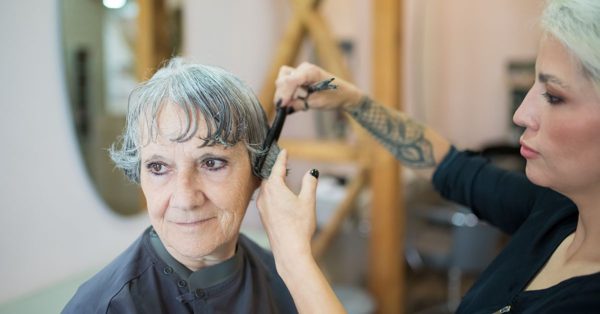
How AI assistants choose a hairdresser in your town: what ChatGPT, Gemini and Perplexity look at
Read more →
Where AI finds Irish vets: the review sites, directories and booking platforms it cites
Read more →
Where AI finds evidence about Irish optometrists: review and booking platforms that matter
Read more →
Website FAQ for a florist: answering same-day delivery, funeral and wedding questions in your customers' words
Read more →
Vet website pages and FAQs written in your clients' own words so AI can quote them
Read more →
Setting up your bakery's Google Business Profile so AI can quote it accurately
Read more →
Review and booking platforms AI cites for Irish bakeries: Google, Tripadvisor, Facebook and more
Read more →